A ticket booked on Monday at WL 22 can read RAC 4 by Thursday and CNF by Saturday morning. The 10-digit PNR number issued by IRCTC stays the same throughout, but the reservation behind it moves with every cancellation, extra coach and, finally, the chart. All of this is captured in your railway PNR status, and knowing how to read it helps you decide whether to wait or make other plans. This article explains these updates and how redRail helps you follow them.
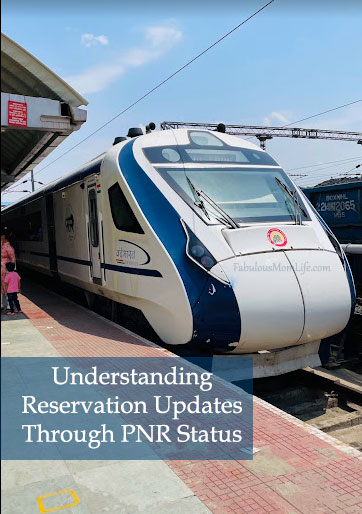
What a PNR Number Holds
PNR is short for Passenger Name Record. Linked to it are the train name and number, travel date, boarding station, class and passenger details. Every traveller on the booking has a separate status, and in a family of four, two may be confirmed while two are still waitlisted, so check each name.
Booking Status Versus Current Status
Two columns appear against each passenger. Booking status records where the ticket stood when it was issued, for example WL 14. Current status shows where it stands now.
As cancellations come in, that figure can move from WL 14 to RAC 3 and then to CNF with a coach and berth number. The booking status is fixed at the time of issue, so plans should be based on the current status.
How to Check PNR Status on redRail
Open the redRail website or app, type in the 10-digit number and select Check PNR Status. You will see the train, the boarding station and where each passenger stands. For tickets still waiting, redRail adds confirmation chances, which indicate how likely the ticket is to clear before the chart. Updates appear in real time, so one look at a day in the final week, and a few more on the day before departure, is generally enough.
What Each Update Means
CNF means a seat or berth has been allotted. RAC, or Reservation Against Cancellation, allows you to board, though you may share a berth until one becomes free. WL means you are in the queue without a seat. The chart fixes the status for good. A fully waitlisted e-ticket at that stage is cancelled automatically, with the fare refunded under railway rules. Confirmed passengers see their coach and berth, which tells them where to wait on the platform.
Acting on a Waitlisted Update
An update that stays at WL for days is a signal to explore other routes on the same train. redRail Confirm searches that train for confirmed seats from another station along its route. It books the ticket from that station, while you still board on your own. A Pune to Bengaluru passenger, for instance, might get a seat booked from Mumbai CST, with the fare charged from that station.
Passengers who expect a long waitlist can also choose Alternate Trip, promoted as “Confirm or 3X Refund”, during booking. This paid add-on is offered on selected trains and classes. If the reservation remains fully waitlisted after chart preparation, the passenger receives a 3X refund benefit. Part of this is credited to the original payment method and the rest comes as a voucher usable on redRail or redBus. The add-on premium itself is not refunded.
Keeping Plans Flexible
When confirmation arrives too late and you switch to a bus or flight, IRCTC cancellation charges eat into the refund. redRail’s Free Cancellation add-on, sold on selected trains and classes for a small fee, brings that fee to Rs 0 and returns the full fare instantly. It has to be picked while booking, which makes it worth adding when dates are not fixed.
Simple Booking and Regular Offers
Bookings on redRail run through your own IRCTC user ID and are approved with your IRCTC password. The e-ticket and PNR then reach your registered email ID and mobile number.
Current coupon codes are listed on the offers page and in the app, including first-time user discounts and reduced Free Cancellation and Alternate Trip premiums, each with separate conditions.
Conclusion
From the first waitlist figure to the final berth, the PNR tracks every change in a reservation. Knowing booking status from current status, and what CNF, RAC and WL mean, makes each update easy to act on.
redRail supports this with real-time railway PNR status, confirmation chances, redRail Confirm, Alternate Trip, Free Cancellation and regular offers. A daily habit to check PNR status before departure keeps the trip on track.
Disclaimer: This train running information is presented without any affiliation with or endorsement from Indian Railways or IRCTC.
Leave a Reply