So, you’ve decided that perhaps you would like to try GTA 6. You’ve watched the trailers, heard your children talking about it, or read our earlier post about women getting back into gaming. And now you’re wondering where to begin.
The last time you played a video game, you might have been using a PlayStation 2, an old desktop computer or perhaps a Nintendo handheld. Gaming has changed quite a bit since then!
There are now different consoles, digital downloads, subscriptions, storage requirements and controllers with more buttons than you probably remember.
And if you’re looking at gaming equipment after a gap of ten or fifteen years, it’s easy to feel a little overwhelmed.
Don’t worry. You don’t need a gaming degree, an expensive gaming room or a teenage son to explain everything to you.
Let’s start with the basics.
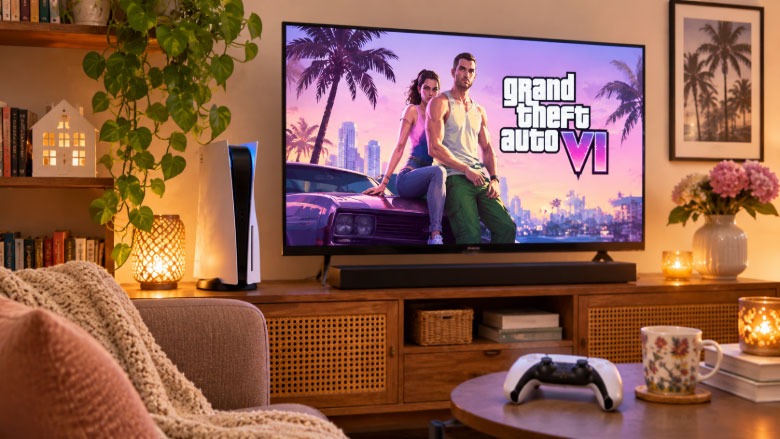
First things first: What do you actually need to play GTA 6?
Unlike some older games that were available on practically every device, GTA 6 has specific hardware requirements.
At present, the game is available on:
- PlayStation 5 (PS5)
- PlayStation 5 Digital Edition
- PlayStation 5 Pro
- Xbox Series X
- Xbox Series S
If you own an older PlayStation 4, PlayStation 3 or Xbox One, you cannot simply buy the game and insert it into your console. Those older consoles aren’t supported for native gameplay.
There is an Xbox Cloud Gaming option for Xbox One users in supported markets, but this depends on regional availability, account eligibility and a sufficiently good internet connection.
And what about a gaming PC or laptop? Unfortunately, there is no officially announced PC version of GTA 6 at the time of writing.
So, if you’re planning to buy a console specifically for this game, you’ll need to choose between the current PlayStation and Xbox options.
PS5 or Xbox? Which one should you buy?
This is probably the first big decision you’ll need to make.
Both PlayStation 5 and Xbox Series X|S can run GTA 6. The difference is in the hardware, pricing, storage, ecosystem and the kind of gaming experience you want.
Let’s look at them individually.
1. PlayStation 5 (PS5)
The PS5 is probably the console most people associate with GTA 6.
It has a powerful processor, excellent graphics and a particularly interesting controller called the DualSense.
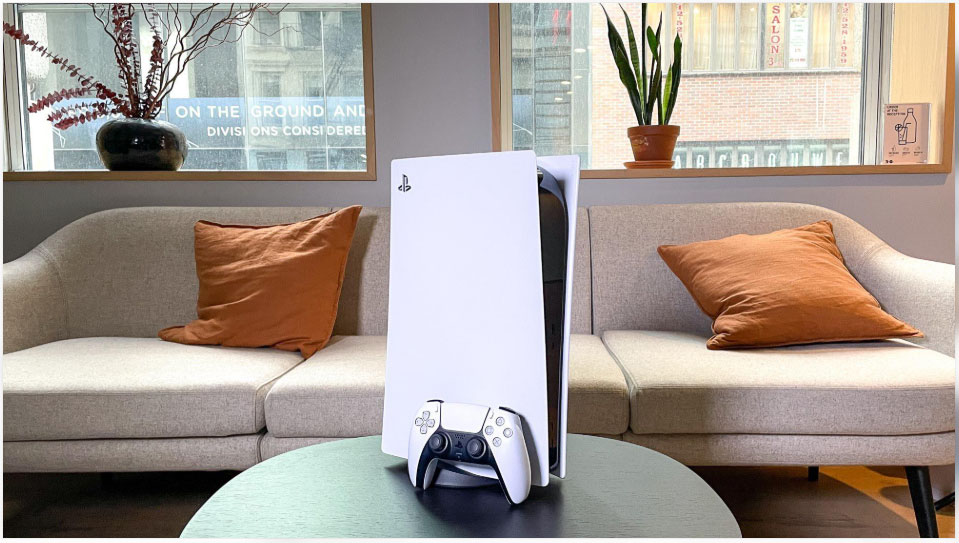
There are different PS5 versions:
PS5 Disc Edition: This comes with a disc drive. You can play compatible physical games as well as purchase and download digital games.
PS5 Digital Edition: This doesn’t have a built-in disc drive. Games are purchased and downloaded online. Some models allow a compatible disc drive to be added separately.
PS5 Pro: This is a more powerful version of the PS5, designed to offer improved graphics and visual performance in supported games.
Do you need the PS5 Pro for GTA 6? No. A regular PS5 is perfectly capable of playing the game.
If you’re buying your first console and don’t have particularly demanding expectations about graphics, I’d look at the regular PS5 before spending extra on the Pro.
2. Xbox Series X
The Xbox Series X is Microsoft’s premium current-generation gaming console.
It offers excellent performance and is comparable to the PS5 in terms of its ability to run modern games.
It comes with a disc drive, making it useful if you prefer buying physical games.
There is also a digital-only Series X variant in some markets.
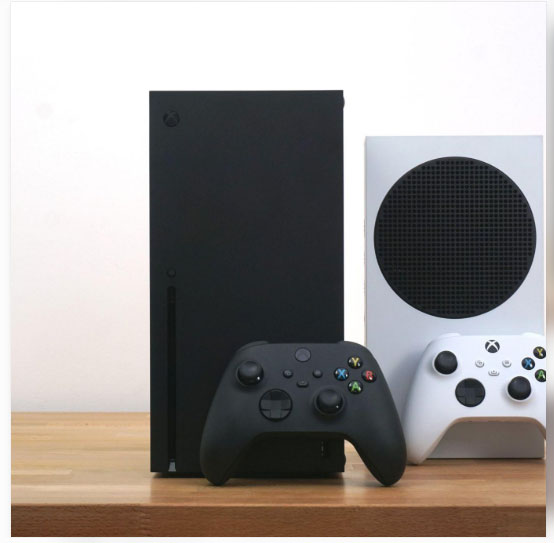
3. Xbox Series S
Now, this is an interesting option if you don’t want to spend too much.
The Xbox Series S is a smaller, more affordable console. It is entirely digital, so there is no disc drive.
It can play GTA 6, although its graphics settings and performance are less ambitious than those of the Series X.
The biggest thing to remember is storage. The standard 512GB Series S has considerably less usable storage than the other consoles, and GTA 6 is a very large game.
If you are buying an Xbox primarily for GTA 6 and a few other games, consider the 1TB Series S if available within your budget.
PS5 vs Xbox Series X vs Series S: A quick comparison
| Feature | PS5 | Xbox Series X | Xbox Series S |
|---|---|---|---|
| GTA 6 supported | Yes | Yes | Yes |
| Disc drive | Some models | Yes, on disc model | No |
| Digital games | Yes | Yes | Yes |
| Graphics performance | Excellent | Excellent | Lower |
| Storage | 825GB or 1TB depending on model | Usually 1TB | 512GB or 1TB |
| Best for | PlayStation ecosystem | Premium Xbox experience | More affordable entry |
My suggestion? Don’t buy a console simply because someone tells you it’s the best one.
If your family already owns a PlayStation, it might make sense to stay with that ecosystem. You may already have games, accessories and an account.
Likewise, if you have an Xbox at home, there’s no reason to start from scratch.
What about the controller? Is it difficult to use?
This is where you might need a little patience!
If you haven’t played video games in years, modern controllers can look intimidating.
The good news is that the basic idea hasn’t changed much. You hold the controller in both hands, use your thumbs to move around and press the buttons to perform different actions.
The two main controllers you’ll encounter are:
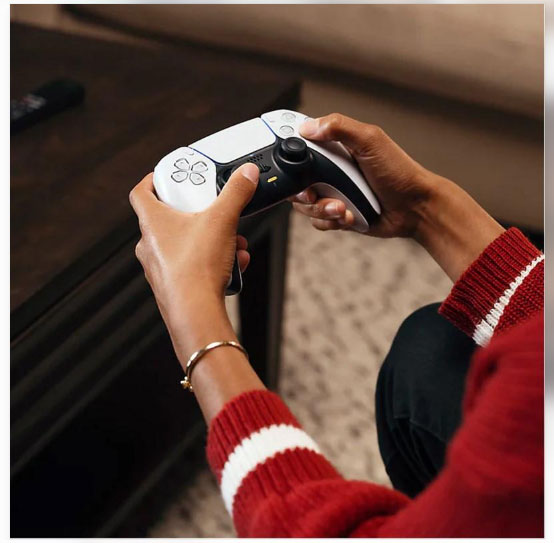
PlayStation DualSense Controller
The PS5 controller has two analogue sticks, directional buttons, four action buttons, shoulder buttons and triggers.
It also has some interesting features:
- Haptic feedback, which creates different vibrations depending on what’s happening in the game.
- Adaptive triggers, which can offer different levels of resistance when you press them.
- A built-in microphone and speaker.
GTA 6 makes use of the DualSense features, so you get some additional sensory feedback while playing.
Xbox Wireless Controller
The Xbox controller has a familiar layout with two analogue sticks, a directional pad, action buttons and triggers.
It is comfortable to hold and is fairly straightforward once you get used to the button layout.
Neither controller is particularly difficult to learn. However, if you’ve never used a modern gaming controller, expect to spend some time practising.
And don’t worry if you keep pressing the wrong buttons initially. We all have to start somewhere!
Do I need a special TV or monitor?
Not necessarily.
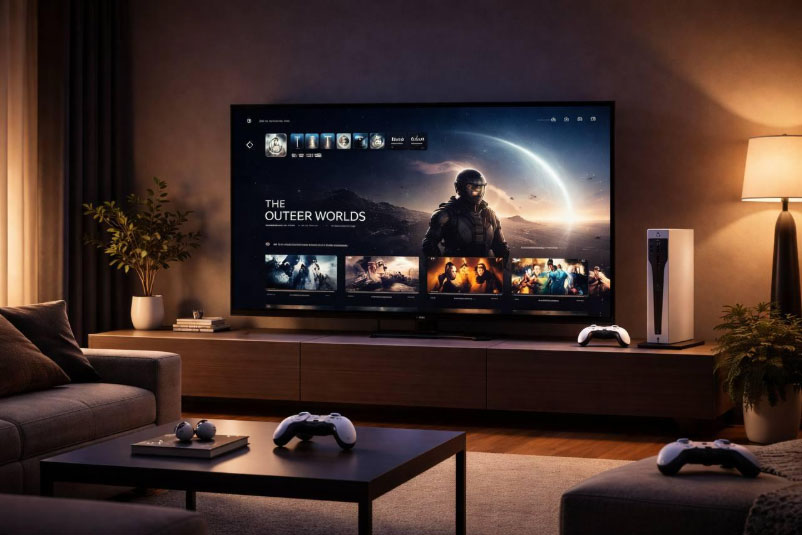
If you already have a reasonably modern television with an HDMI connection, you can connect your console to it.
A 4K television can make the visuals look particularly beautiful, but you don’t need to rush out and buy one.
Here are a few things worth knowing:
- HDMI: This is the cable connection between your console and television.
- 4K resolution: This refers to the picture resolution, offering more detail than standard HD.
- HDR: High Dynamic Range improves the range of colours and brightness.
- Refresh rate: This refers to how many times your screen updates per second. A 120Hz television can display up to 120 frames per second when supported by the console and game.
For someone starting out, a decent television and the supplied HDMI cable are perfectly adequate.
You can always upgrade later if you become more serious about gaming.
How much storage does GTA 6 need?
Now, this is something you really need to pay attention to before purchasing the game.
GTA 6 is a massive game, with Rockstar advising players to have up to 212GB of available storage space, depending on the device.
That’s a lot!
For comparison, think about how many photographs, videos and apps you could store in that amount of space.
If your console already has several games installed, you may need to delete a few before installing GTA 6.
You can check your available storage in the console’s settings.
On PS5:
Go to Settings → Storage → Console Storage.
On Xbox:
Go to Settings → System → Storage Devices.
If you find that you don’t have enough space, you can consider additional storage.
For PS5, compatible internal M.2 SSDs can expand storage. For Xbox Series X|S, you can use an official Storage Expansion Card for playing games that require the console’s high-speed storage.
An ordinary external USB hard drive can be useful for storing games, but it cannot directly run GTA 6 on these consoles.
My advice? Don’t buy additional storage before checking how much space you actually have. You may not need it.
Do I need an internet connection?
Yes, you’ll need a reasonably good internet connection to download GTA 6 and its updates.
Since the game requires a substantial download, I’d recommend using a stable broadband connection rather than relying on mobile data.
You don’t necessarily need the fastest internet plan available, but a slow connection can mean waiting several hours for the game to download.
Also, remember that GTA 6 is a single-player experience. You don’t need to purchase a multiplayer subscription simply to enjoy its main story.
Some online features and services may have separate requirements, so check those before subscribing to anything.
What are all these gaming terms? A little cheat sheet!
If you’ve been listening to gamers talk, you may have come across words that sound like an entirely different language.
Here’s a quick glossary.
| Gaming term | What it means |
|---|---|
| Console | The gaming machine, such as a PS5 or Xbox |
| Controller | The handheld device used to play |
| Digital download | Buying and downloading a game online |
| Disc version | A physical game disc that you insert into the console |
| DLC | Downloadable content, additional content released for a game |
| FPS | Frames per second; also commonly means First-Person Shooter |
| Open-world | A game where you can explore a large environment rather than following only a fixed path |
| NPC | Non-player character; a character controlled by the game |
| Campaign | The main story or storyline |
| Save game | Saving your progress so you can continue later |
| Multiplayer | Playing with other people |
| Patch | A software update that fixes problems or makes changes |
| SSD | Fast storage used by modern consoles |
And here’s one more term you’ll hear quite often: sandbox game.
GTA belongs to this category because it gives players considerable freedom to explore and interact with the game world rather than simply following a straight sequence of levels.
Do I need to buy anything else?
Not really!
One of the nice things about buying a console is that most of the essential equipment is already included.
For a basic setup, you’ll need:
- A PS5 or Xbox Series X|S.
- The controller supplied with the console.
- A television or monitor.
- An HDMI cable.
- A broadband internet connection.
- Enough available storage.
- A copy of GTA 6.
That’s it.
You don’t need a gaming chair, special headphones, an elaborate gaming desk, RGB lighting or a collection of accessories.
A headset can be useful if you want to play without disturbing everyone else, but it’s optional for getting started.
And if you’re sharing the living room television with the family, perhaps a pair of headphones might be a sensible addition!
How do you actually get started playing GTA 6?
Once you’ve bought your console and the game, the process is fairly straightforward.
Step 1: Set up your console.
Connect it to your television using the HDMI cable and plug it into a power source.
Follow the instructions on the screen to connect to Wi-Fi, select your language and sign in or create your PlayStation or Xbox account.
Step 2: Purchase the game.
You can purchase GTA 6 through the official PlayStation Store or Microsoft Store.
The game is available in Standard and Ultimate editions. If you’re a beginner interested primarily in playing the story, the Standard Edition is the obvious starting point. The additional Ultimate Edition content is optional.
One thing worth knowing: even the boxed physical version of GTA 6 comes with a download code rather than a traditional game disc. So you’ll still need to download the game.
Step 3: Download and install.
Make sure you have sufficient storage and a stable internet connection.
Allow the game to download and install any updates.
Step 4: Start playing!
Once installation is complete, launch the game from your console’s home screen.
You’ll be guided through the opening experience, and you can gradually get used to the controls.
Don’t worry about mastering everything immediately. There is a learning curve, and you can take your time.
A few things I’d recommend before spending your money
If you’re buying a console after years away from gaming, here are a few things I’d keep in mind.
Don’t buy the most expensive console automatically. A regular PS5 or Xbox Series X is more than capable of providing an excellent experience.
Don’t buy too many accessories. Start with the basics. You can always add things later.
Check the storage before purchasing. GTA 6 needs a substantial amount of free space.
Think about what else you’ll play. If you think you’ll enjoy other games too, consider the wider PlayStation or Xbox library before deciding.
Try the controller before buying. If possible, visit a store and hold both controllers. Comfort matters, particularly if you intend to play for longer periods.
Check regional pricing and warranty. Buy from an authorised retailer and make sure your console, game and digital account are compatible with your region.
And one last thing: GTA 6 is rated for adults and contains mature content, including intense violence, strong language and sexual content. If you’re buying it for yourself, that’s one decision. If you’re buying it for your teenager, do look at the age rating and content before making that decision.
So, are you ready to become a gamer again?
I think one of the biggest barriers for women who want to return to gaming is simply not knowing where to begin.
The technology has moved on, the terminology has changed and there are so many choices that it can seem easier to leave it all to the younger generation.
But it really isn’t that complicated once you break it down.
You don’t have to become an expert. You don’t need to spend a fortune. And you certainly don’t need to feel embarrassed about asking basic questions.
If you’ve been thinking about getting back into gaming, perhaps GTA 6 is a good excuse to start.
And if you already have a console at home, you might not even need to buy anything except the game!
I’d love to hear from you:
- Do you currently own a PlayStation or Xbox?
- Which was the last gaming console you owned before the current generation?
- Are you considering buying a PS5 or Xbox specifically for GTA 6?
- Would you prefer a gaming console in the living room or a dedicated gaming corner?
And if you’ve already started playing GTA 6, do share your experience. I’m sure there are plenty of women who would appreciate some beginner-friendly advice!
Leave a Reply