If you’ve ever tried to close out tabs while your kid texts “I forgot my lunch again” and the bartender is waving because Table 6 wants to split the bill three ways, you already know this: your POS can either steady the ship or rock it. That’s why I’m going to start with a plain-language explanation of cloud POS vs traditional POS explained in plain language. Hence, the decision feels less like “tech jargon” and more like what it really is: a practical choice that impacts your time, your team, and your sanity.
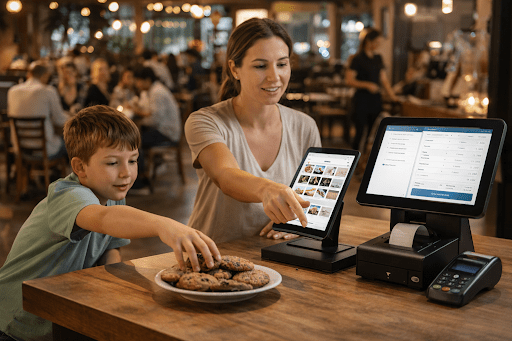
I’ve spent 15+ years in restaurants and the restaurant IT/software world, and I’m also a mom—so I’m not here to impress you with features. I’m here to help you picture what life looks like on a Tuesday lunch rush, a Friday night double turn, and a Sunday when half the staff is new.
First, what “traditional POS” and “cloud POS” really mean
A traditional POS usually means the system is installed locally (often on a back-office computer/server), and your terminals connect to that local setup. Updates, backups, and maintenance tend to be more “on-site” thinking.
A cloud-based POS system typically stores and processes core data online, so you can access dashboards, sales info, and settings from anywhere you’re authorized, often from a phone or laptop. It doesn’t mean you won’t have hardware on-site; it means the “brain” of the system lives in the cloud and syncs with what’s happening in the restaurant.
Neither approach is automatically better. The best choice depends on your operation, your internet reliability, your team’s comfort, and how much you want to manage yourself versus outsource through structured tools.
The lens I use: restaurant life, not software life
When owners ask me what to choose, I don’t start with feature lists. I start with four real-life questions:
- How chaotic are your peak hours?
- How often do you change menus, prices, or specials?
- How many “moving parts” do you manage (bar tabs, delivery, events, multiple locations)?
- Who is actually doing the admin work: you, a manager, or “whoever has time”?
Because the truth is, your POS sits at the center of restaurant and bar operations. It touches ordering, pacing, payments, reporting, staff accountability, and the guest’s last impression.
Speed and workflow: what your team feels at the terminals
On busy shifts, speed isn’t just speed; it’s confidence. A POS should support:
- fast item entry (with sensible modifiers)
- clear routing to kitchen/bar
- easy void/comp processes (with permissions)
- smooth split checks and shared items
- simple bar tabs and closeouts
With many restaurant POS systems, the day-to-day workflow matters more than the “cool” features you’ll use twice a year. I’ve watched excellent servers become slow and frustrated because buttons were buried in the wrong place or the system forced too many taps.
Cloud or traditional doesn’t guarantee good workflow design, does. But cloud-based systems often make it easier to adjust menus and screens without waiting for an on-site tech visit, which can be a huge advantage for small teams.
Reliability and downtime: the part nobody wants to think about
Let’s talk about the fear behind the question: “What if it goes down?”
- Traditional systems can be stable on-site, but they still fail when hard drives die, power surges happen, or networks glitch.
- Cloud systems depend more on connectivity, but many are built with offline modes or “store-and-forward” methods to keep services running.
From a mom-owner perspective, what matters is not “Will it ever go down?” but “Do we have a calm Plan B?” Every operation should have a downtime routine, printed menus, manual checks, a card-imprinting plan if needed, and a clear manager role during downtime. If your team has never practiced downtime procedures, the first outage becomes a stress test.
Remote visibility: the underrated gift of modern operations
This is where cloud often shines for owners who wear multiple hats.
With a cloud-based POS system, you can usually:
- Check sales from home after bedtime
- See labor vs. sales in real time.
- Monitor voids/discounts without hovering.
- push menu updates across devices
For a parent juggling school schedules and staffing gaps, remote visibility can feel like getting your brain back. Not because you want to micromanage, but because you want to spot issues early. (Like a new bartender discounting the wrong item category, or a shift that’s overstaffed before it becomes expensive.)
Menu changes and seasonality: real restaurants aren’t static
Restaurants change constantly. Seasonal items, vendor substitutions, pricing shifts, limited-time cocktails, allergen callouts, this is daily life.
Many owners pick restaurant POS software thinking only about checkout. But menu management is where your POS either supports your creativity or slows it down. If you run specials often, a system that lets you update items and modifiers quickly without breaking reporting can reduce mistakes and “we can’t ring that in” chaos.
Reporting: make it useful, not perfect
The most valuable reporting is the kind you actually look at.
At a minimum, your restaurant POS software should help you answer:
- What sold best this week?
- What’s dragging down margins?
- Are comps/voids within normal patterns?
- Which shifts are overstaffed relative to sales?
- How are bar sales trending vs. food?
Cloud systems often make these reports easier to access and share. Traditional systems can be strong too, especially for owners who prefer everything controlled on-site, but sometimes reports feel “locked in the office,” which is not how modern life works.
Staff permissions and accountability: protect your culture
Your POS isn’t just a tool; it’s a trust system. Permissions matter because they protect:
- cash handling integrity
- comp/void discipline
- discount consistency
- tip processes
- end-of-day reconciliation
For mom-owners managing a mixed team of veterans and part-timers, clear roles reduce drama. You want servers to feel empowered, but you also want guardrails that keep your operation fair and clean. A good system supports both.
Bar operations: where the POS either helps or hurts
Bars are their own ecosystem: tabs, split payments, fast pours, comps, and high guest expectations. For restaurant and bar operations, pay attention to:
- quick tab creation and management
- easy item transfer between seats
- accurate time stamps for accountability
- clean closeout flow for the bartender under pressure
If your bar is busy, test the POS as a bartender would. The right choice is the one that minimizes steps and prevents “I can’t find that drink button” moments.
Practical decision guide: which direction fits your reality?
Here’s a grounded way to think about it.
A cloud approach may fit you well if:
- You want remote visibility and quick changes
- You manage multiple priorities beyond the restaurant.
- You update menus often.
- You value easy reporting access.
- You’re comfortable with internet-dependent operations (with an offline plan)
A traditional approach may fit you well if:
- You prefer everything managed on-site
- Your internet is unreliable, and you don’t trust offline modes.
You want tighter control of local infrastructure. - You have stable menus and predictable workflows.
The best outcome is when your POS matches your management style. A system that’s “powerful” but ignored becomes expensive clutter. A system that’s simple and consistently used becomes a backbone.
The biggest mistake I see mom-owners make
They choose based on a perfect-world demo instead of a real Saturday night.
So here’s my mom-manager test:
Imagine the dinner rush. A kid spills juice at Table 3, a party of eight arrives early, and your best server calls in sick. In that moment, your POS should reduce decision-making, not add to it. It should make the next right action obvious.
Final thought: your POS should give you time back
Whether you choose a cloud-based POS system or a more traditional setup, the goal is the same: smoother service, fewer mistakes, cleaner closing, better insight, and less mental load.
Because if you’re running a restaurant and raising a family, you don’t need more technology. You need dependable systems that quietly support your people so you can spend your energy on what actually matters: your guests, your team, and the life you’re building outside the shift.
Related posts:
 From First Splash to Confident Diver – A Bali Dive Center Manager’s Guide for Families, New Divers, and Small Operators
 Calm Check-Ins and Cleaner Turnovers – A Small-Hotel Guide to Hotel PMS Modules Explained
 Adapting Your Heating System to Climate Change’s Impact
 Industry Trends: 6 Ways Food Industry Has Changed in the Past Two Decades
Leave a Reply