Do you have old home videos stored in boxes or old devices, just waiting to be brought back to life? Many families still keep precious moments on VHS tapes, camcorders, or DVDs that are now hard to play.
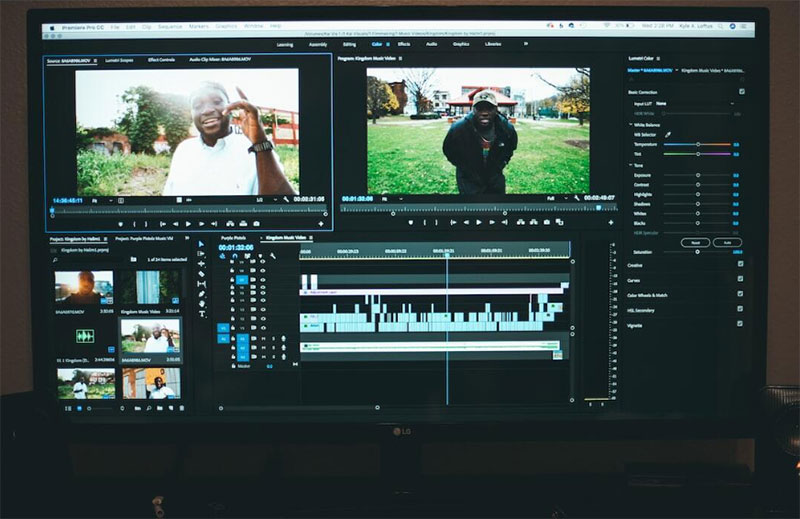
By converting them to digital formats, you can save and share those memories for years to come. In this blog, we’ll go over helpful tips for modern families looking to convert, enhance, and share their home videos easily using today’s tools and technology.
Start by Gathering and Organizing Your Videos
Before converting anything, it’s important to know what you have. Look through your home and gather all your videotapes, DVDs, and camcorder recordings. Label each one clearly with names, dates, or events. This helps you stay organized during the conversion process.
Sort your videos by type, such as VHS, mini-DV, or DVDs. Some formats may need different devices or adapters. If you’re not sure what type of tape or disc you have, look it up online using the brand and model. Organizing first saves time and ensures you don’t miss anything.
Also, consider making a simple checklist. You can track what has already been converted and what still needs work.
Choose the Right Conversion Method
There are several ways to convert home videos to digital formats. One option is to use a video transfer service. These companies take your tapes and convert them into digital files or DVDs for you. It’s easy, but it can be pricey, and you must trust them with your original recordings.
Another option is to do it yourself using a video capture device. These devices connect your old player to a computer. You’ll need playback equipment like a VCR or camcorder, and software to record and save the video.
If you’re converting file-based formats, a MOV to MP4 converter tool can be especially helpful. It makes sharing and storing videos easier by using widely supported formats.
Always test your equipment first, and make sure you have enough space on your computer to store large video files.
Pick the Best Digital Format for Your Needs
When converting, it’s important to choose the right digital file format. MP4 is the most common and widely supported option. It works on most phones, TVs, computers, and social media platforms. MOV is another good format, but may not work on every device without added software.
Choose MP4 if you plan to watch or share videos on many devices. It balances good quality with a smaller file size. If you’re keeping the videos for editing or professional use later, formats like AVI or MOV may work better because they preserve more detail.
You can also create multiple versions. One version can be for storage, while another smaller file can be shared online or with family. This helps you keep quality but still share easily.
Always back up your digital videos on an external hard drive or cloud storage for safety.
Enhance and Edit for Better Quality
Once your videos are digital, you can enhance them. Simple editing tools can fix brightness, color, and contrast. You can also trim long videos to keep only the important parts. This is useful when sharing or making family highlight reels.
Some software includes filters that clean up noise or make the video sharper. There are also AI tools that can reduce blur and improve sound. Try out different tools to find what works best for your video style and quality.
Add titles or captions to mark birthdays, holidays, or other special events. This makes the videos more fun and meaningful to watch. You can even create AI music and add it to the background to give it more emotion.
Editing does not have to be complex. Even basic improvements can make your home videos feel fresh and new.
Make It Easy to Share with Family
After enhancing your videos, it’s time to share the memories. You can upload your videos to cloud services like Google Drive or Dropbox. These allow you to create links and send them to family and friends instantly.
Another great option is to upload to a private YouTube channel. You can choose who sees the video, and it plays easily on any device. Social media platforms like Facebook also allow for private video sharing within family groups.
For older family members, consider making DVDs or USB drives. They may not use cloud services, but still want to watch family videos.
Use short video clips when sending by email or messaging apps. That way, it’s fast and easy to view without waiting for large files to load.
Keep Your Memories Safe for the Future
Preserving digital videos is just as important as converting them. Over time, files can get lost, damaged, or deleted if they are not stored properly. Always make at least two copies. One should be on an external hard drive, and the other in the cloud.
Label your files clearly using names and dates so you can find them easily later. Create folders by year or event for better organization. This helps when looking back or sharing specific memories.
Every few years, review your storage. Move files to newer drives or update formats if needed. Technology changes quickly, and keeping your videos up to date helps them last longer.
Consider printing a guide or keeping a digital list of all your videos and where they’re saved. This helps you and other family members access and enjoy the memories without confusion.
Start Converting Your Home Videos to Digital Formats Now
Converting home videos into digital formats is one of the best ways modern families can protect and enjoy their memories. With the right tools and a bit of time, you can take old, fading footage and bring it into the digital age. Whether you use a video transfer service, a DIY setup, or a MOV to MP4 converter tool, the goal is the same: preserve, enhance, and share meaningful moments with the people who matter most.
Editing and storing your videos properly makes them easier to view and enjoy for years. Don’t let your family’s history sit in a dusty box. Bring it back to life and make it simple to share across generations.
Enjoyed this article? Check out our other blog posts for more helpful tips.




Leave a Reply