It’s a delightful experience for parents when their child steps out of the home for the first time ever. It gives you that strange combination of pride and worry in your chest. Maybe they’re walking to school alone, maybe they’re visiting a friend. Doesn’t matter what occasion, it’s natural to feel anxious about them being out of sight.
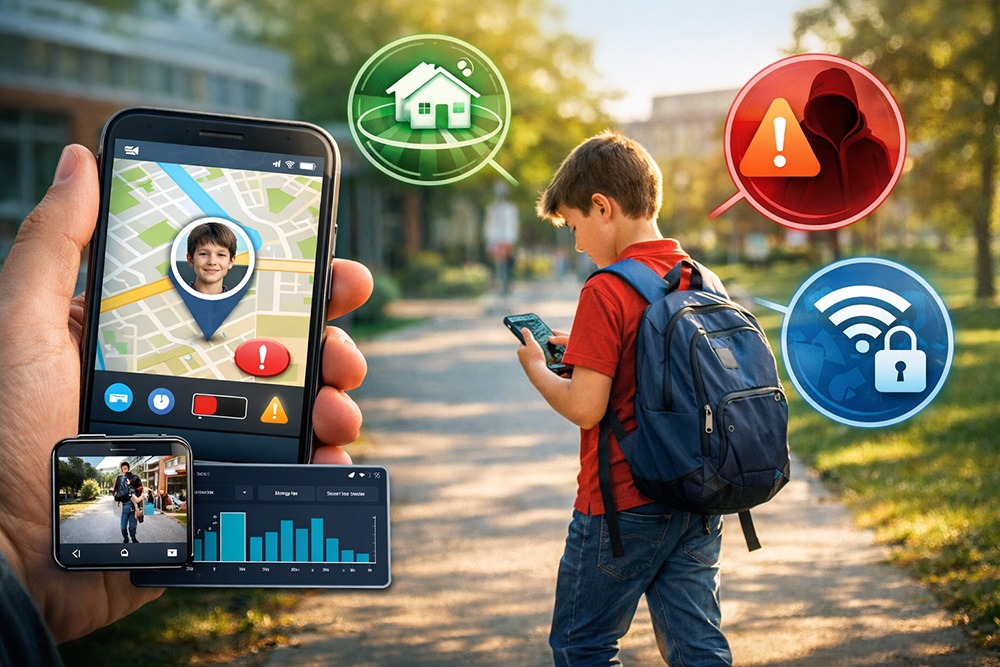
“What if something unexpected happens?” That tension between pride and concern is where smart safety apps come in. They don’t have to be controlling—use them for visibility and reassurance, creating a safety net for moments when you can’t be physically present.
Why Kids Are at Risk When They’re Away From Home
The world outside is cruel. Today we have risks that previous generations didn’t, and that makes independence all the more daunting.
They have physical risks that include getting lost, stuck in a traffic jam, getting into an accident, running into a situation that needs quick problem-solving, or worst-case scenario: kidnapping. Even short detours or changes in routine can be stressful for both children and parents.
Digital risks exist too. Phones can be the top source of distraction. Or kids may unknowingly share private information, or access content that isn’t age-appropriate. The point isn’t to instill fear, but to recognize where guidance and support are needed.
What Safety Features Should Smart Apps Have to Keep Kids Safe?
Different smart safety / parental control apps boast their own impressive list of features; but if we be honest, you don’t need that many. If you’re just getting started with child monitoring, you want something simple and easy to start with. In this case, a useful app would contain the bare minimum essential features, for example: latest information, safety alerts, and insights based on activity. Here are the top three features to look out for:
1. Location Awareness (Real-Time Location & Geofencing)
Geofencing works by setting safe zones. For example: home, school, or a friend’s house, which means parents receive notifications only if a child leaves these areas unexpectedly. This helps parents intervene quickly only when needed, rather than monitoring every step. Real-time location tracking comes handy when geofencing has alerted you of an anomaly.
2. Alerts and Notifications for Safety
This feature works hand-in-hand with the first one, with the additional consideration for online safety as well. Apart from alerting you of physical risks, this should let you know when your child is being contacted by a stranger or trying to see inappropriate content (AirDroid does this job flawlessly). It should also have low battery alerts so you don’t sweat yourself wondering why your child isn’t responding when their phone is just dead.
3. Activity and Usage Insights
This is less about knowing what they do and more about how often they do it and spot patterns. Using Instagram shouldn’t be a red flag. But using it at late night hours when everyone else is sleeping? That should concern you. Similarly, using any singular social media daily isn’t a bother until you find out they’ve been on their screen for too long a day. This is to ensure you understand patterns and can ensure they remain in touch with reality. Activity insights are the least intrusive way to look out for your kid’s online safety.
What These Apps Should NOT Do
It’s important to set clear boundaries. Safety apps should never run secretly or hidden. They should not replace communication, trust, or parental guidance. Constant 24/7 intervention can erode independence (and might even make your kids grow resentful). Remember, strict parents don’t raise honest children; just really sneaky ones. The best tools provide visibility for emergencies, not surveillance for everyday behavior.
Using Smart Apps in a Responsible and Trust-Building Way
Parental control apps don’t automatically give you permission to go snooping around where your child wouldn’t want you to. If you’re using a monitoring app, your kid should know about it and why. Be ready to adjust the levels of monitoring as they grow and learn. Positioning these apps as a safety measure rather than a controlling tool will improve your relationship with your kids.
Teach them about digital safety and cybersecurity, along with the real-world risks they should be wary of. This approach ensures that the technology serves a purpose without creating tension in your relationship with your child.
How Parental Control Apps Support Family Safety: A Practical Example
You would go crazy if you keep thinking 24/7 where your kid’s at. This is where AirDroid Parental Control comes in. Instead of making your kids anxious with constant watching-over, you can set “safe zones” (like home, school at a friend’s place, etc.) so you get alerted only if they’re at unfamiliar places or out of the secure area.
But if you ever encounter those moments where they really aren’t picking up or are in a very busy place, you can use the remote camera access or the one-way audio just to check in with their environment. It’s not meant for everyday spying, best saved for truly nerve-wracking situations. Use it for emergencies when you need them most, so you can make a quick, informed decision.
Choosing the Right App for Your Family’s Needs
The “right fit” ultimately comes down to your child’s age and how much of your trust they have earned so far. If you want something simple and straight-forward, AirDroid is your best bet. It ensures their physical and digital safety alike, also giving you an easy way to communicate with them. But if you’re looking for something more advanced, we recommend you check out other available options in the market. Don’t get fooled by the amount of features; look for the ones that you truly need.
Final Thoughts
Independent children are a blessing in disguise. You know they have your back if you ever need them somewhere. But it’s your responsibility to ensure their safety and make sure they have support at all times. Smart safety apps get the job done without being overbearing, helping parents stay updated without breaching privacy. Using the right tools and open discussions, you can give them the freedom they crave and treat yourself with the peace of mind. If you’re ready to set that up, you can get started with AirDroid to keep your family’s safety a top priority.
Leave a Reply